
Import EndNote library into ReadCube
< 1 min read
To begin, you’ll need to create an export file of your EndNote library. To do this, launch EndNote and head to file – save a copy
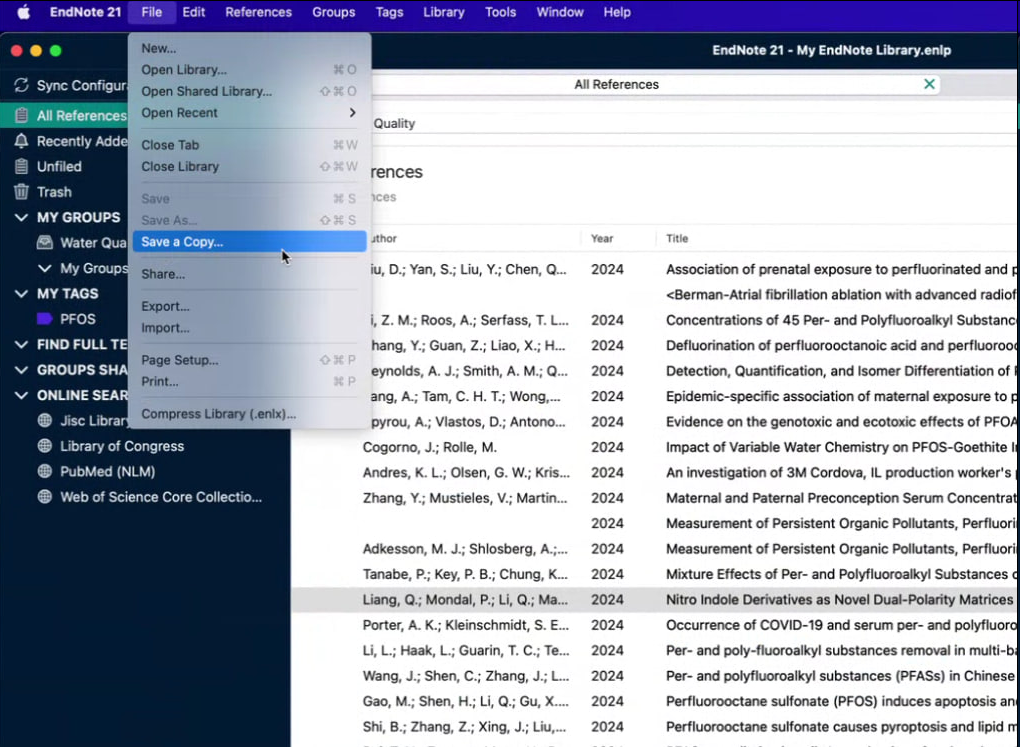
Save a copy of your library to a local location on your computer.
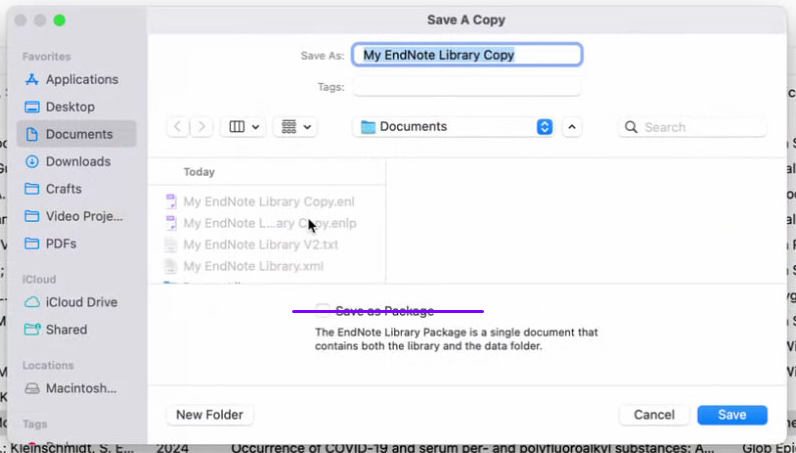
Note: do not select the “save as package” option.
Click save. That will save a copy of your library in .enl format.
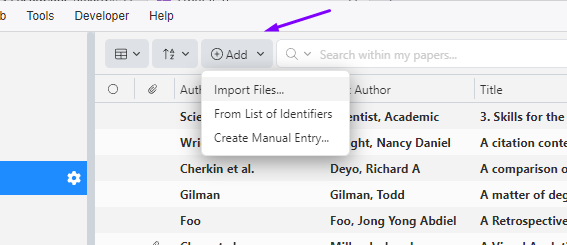
With that file saved, head to the ReadCube desktop application – you do need to use the desktop application for this import, not the web. Once there, head to add – import files
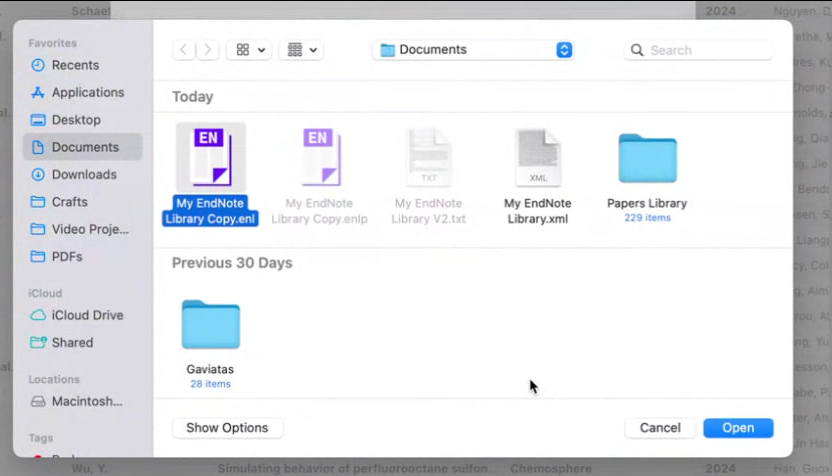
and select EndNote
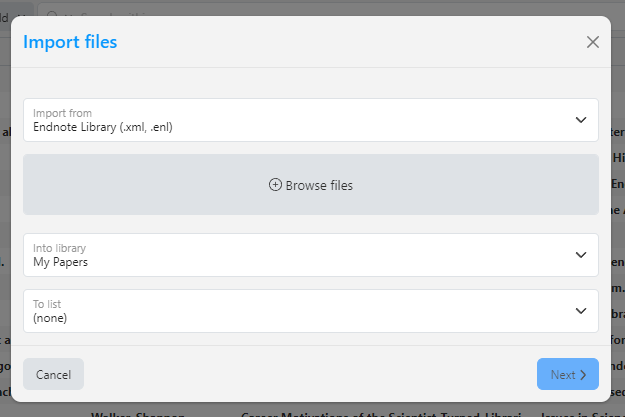
Once you hit “next”, you’ll be asked if you want to merge duplicates upon import
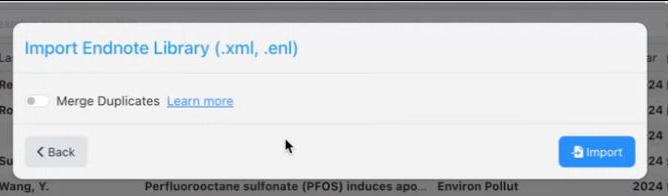
Click “import” and you’re import will begin! Please contact ReadCube Support if you have any problems or questions.


