
How to get Help/Support
< 1 min read
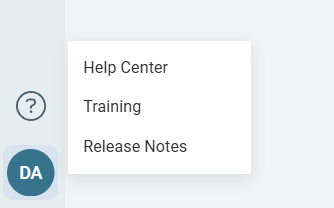
To begin, select your profile at the bottom left-hand corner of the web application. From the window that appears you will need to click on Help Center:
This will open the ReadCube support site, where you can find answers to various questions, report a bug, request a new feature for future versions or send us a message. Alternatively, you can contact us directly for trainings or support by emailing ReadCube Support or to your Client Engagement Member (CEM).
Before sending in a ticket we suggest briefly browsing through the other topics and support articles as there is a good possibility your query might already be answered. We write new support articles and add to our FAQs as we notice new common questions, so checking these is often the quickest way of solving an issue.


