
Ordering Reprints
< 1 min read
Ordering reprints are only available with customers with active Document Delivery service.
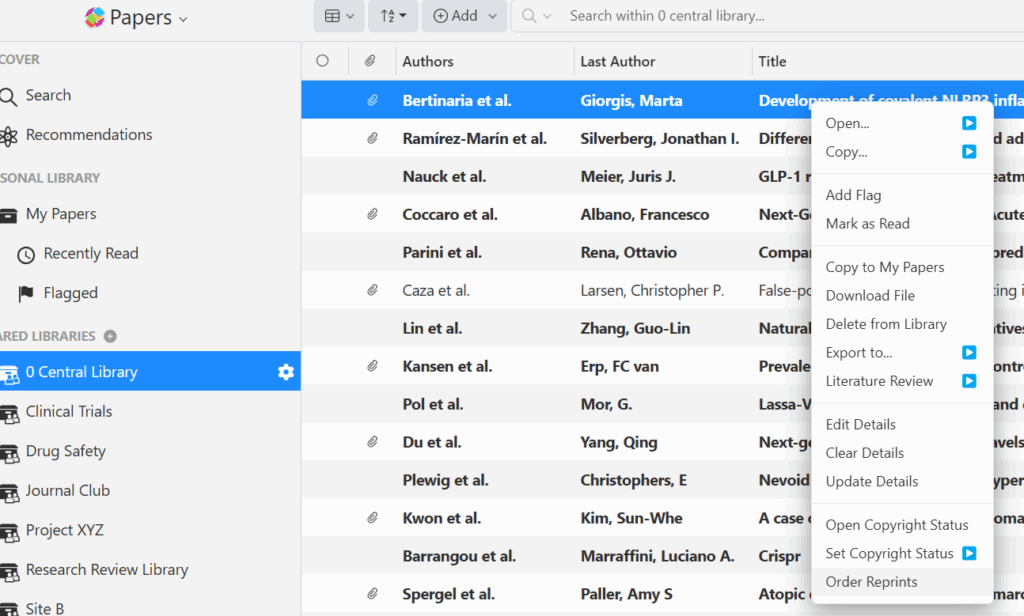
You can request a reprint by right-clicking the reference in your Document Delivery library, then selecting the last option in the dropdown for Order Reprints.
After selecting that option a pop-up window will appear where you must add the number of copies as well as an option to add a note.
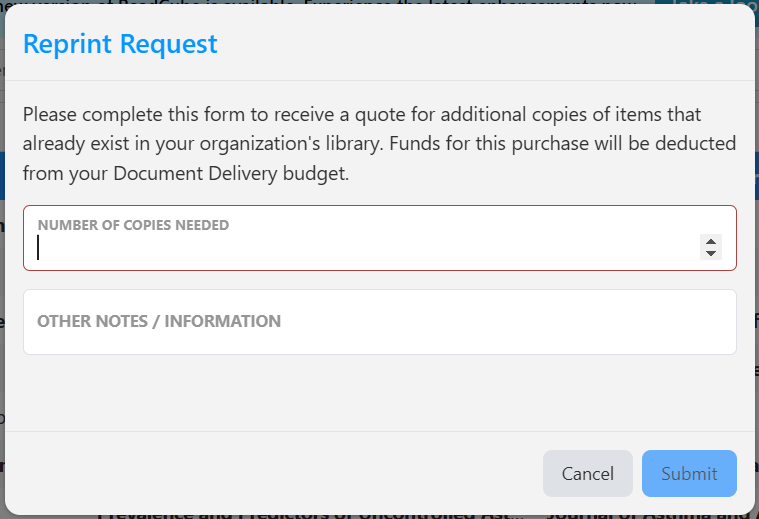
Once you have submit your order, you will receive a Reprint Request Received and in Queue for Fulfillment confirmation message.
Alternatively you can email us at support@readcube.com and a member of our team will create the request for you and you will also receive the Reprint Request Received and in Queue for Fulfillment confirmation message.
From there once we have received an approval from your admin, you will receive a Reprint Request Fulfilled email with the article PDF attached.
Or if they decline the request you will receive a Reprint Request Cancelled by Organization email.


