
How to Organize Articles in ReadCube: A Step-by-Step Guide
2 min read
The following information and screenshots relate to the latest version of ReadCube. For instructions on the classic version, please click here.
ReadCube makes organizing your library simple with Lists and Smart Lists. Here’s how to use these features to keep your articles and PDFs well-organized:
Creating a List in ReadCube
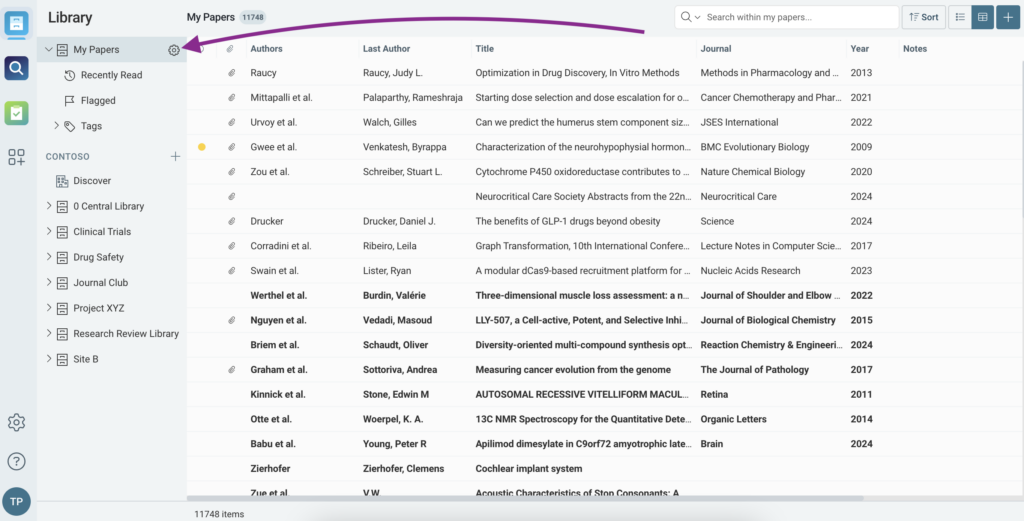
First, click on the gear icon next to My Papers.
Next, select “Create List” or “Create Smart List.”
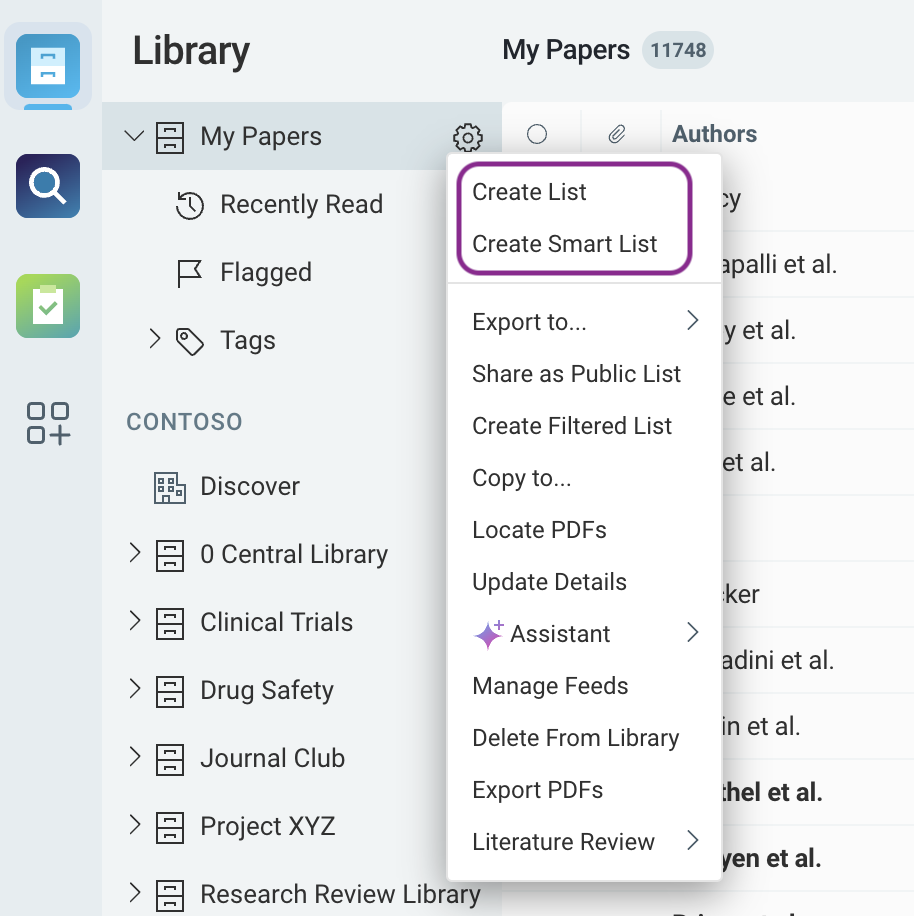
For a standard List:
- Add a name for your List.
- Optionally, nest the List within another List for better organization.
- Drag and drop PDFs into the List.
Lists function like playlists rather than folders—meaning an article can belong to multiple Lists simultaneously. For example, the article “Mad2 overexpression promotes aneuploidy and tumorigenesis in mice” can appear in a List about cancer and another about mitosis, as it relates to both topics.
Please Note: Deleting a List does not remove its PDFs from your library. The articles remain stored in your library.
Creating a Smart List in ReadCube
Smart Lists are dynamic and update automatically based on criteria you set.
By using Lists and Smart Lists, you can efficiently organize and access your research in ReadCube.
If you need help building a List or Smart List, please contact ReadCube Support.
ReadCube Classic
The following instructions are for the classic version of ReadCube.
Creating a List in ReadCube
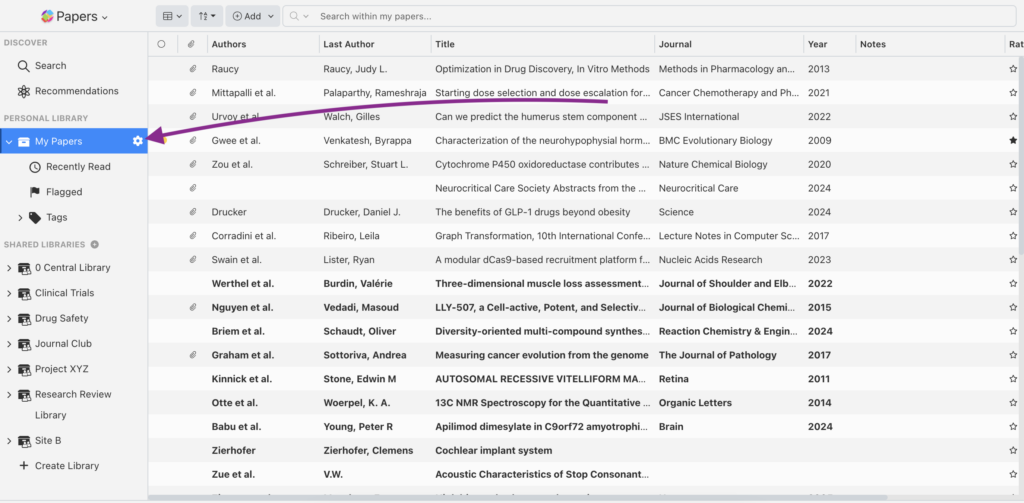
First, click on the gear icon next to My Papers.
Next, select “Create List” or “Create Smart List.”
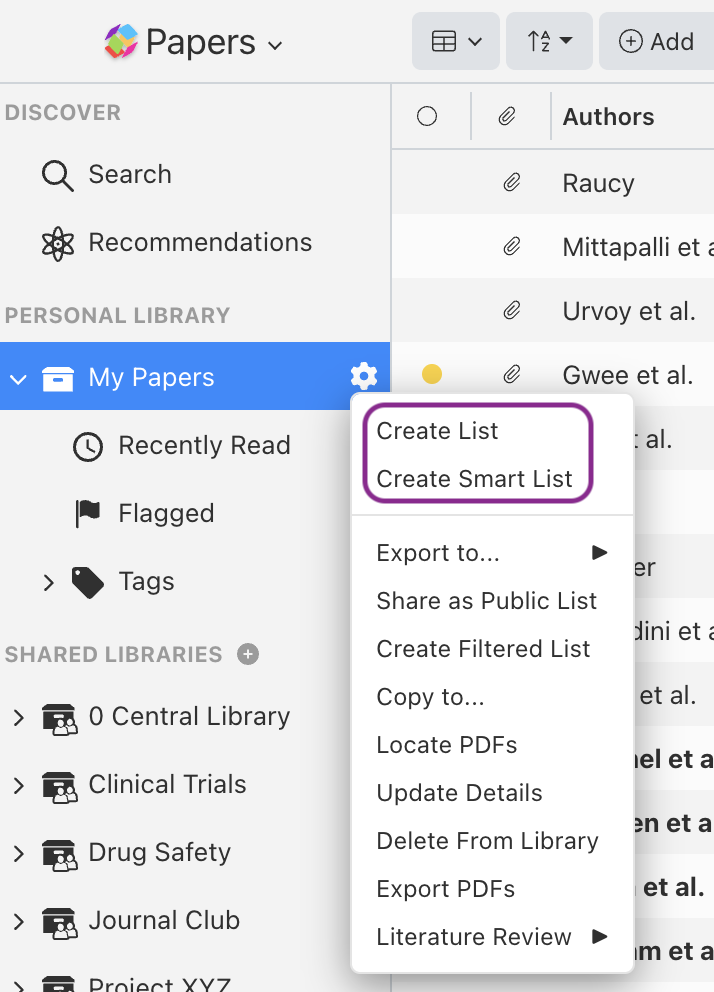
For a standard List:
- Add a name for your List.
- Optionally, nest the List within another List for better organization.
- Drag and drop PDFs into the List.
Lists function like playlists rather than folders—meaning an article can belong to multiple Lists simultaneously. For example, the article “Mad2 overexpression promotes aneuploidy and tumorigenesis in mice” can appear in a List about cancer and another about mitosis, as it relates to both topics.
Please Note: Deleting a List does not remove its PDFs from your library. The articles remain stored in your library.
Creating a Smart List in ReadCube
Smart Lists are dynamic and update automatically based on criteria you set.
By using Lists and Smart Lists, you can efficiently organize and access your research in ReadCube.
If you need help building a List or Smart List, please contact ReadCube Support.


