
Email Summaries
< 1 min read
Email alerts are a great way to stay on top of activity in a ReadCube shared library by notifying you whenever new content is added.
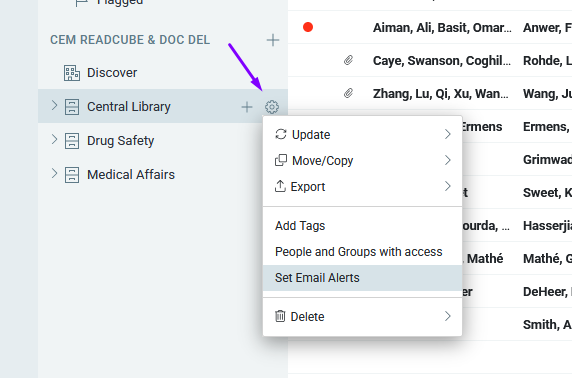
To set up email summaries, go to the Settings of a shared library where you have admin permissions and select “Set Email Alerts.”
Then choose whether you’d like to receive alerts daily, weekly, or monthly, and ReadCube will start sending notifications right away.


