AI Email Notifications
< 1 min read
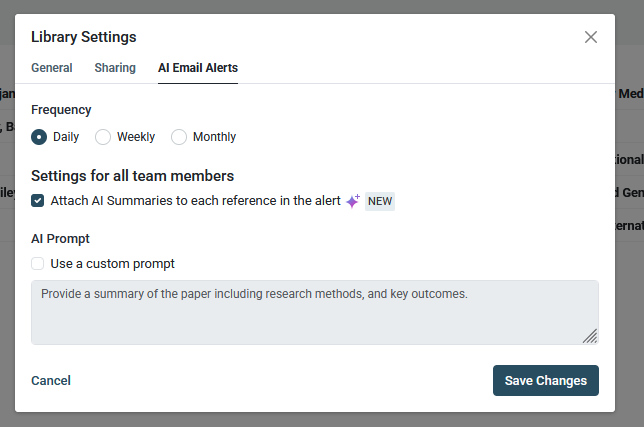
With ReadCube you have the ability to not only set up custom email notifications – letting you know whenever new content is added to your Shared Library – but to have Papers AI summarize that newly added content for you.
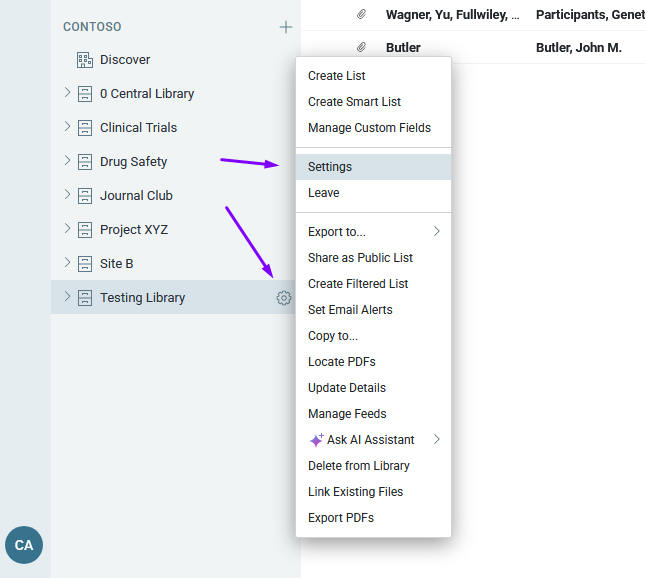
To set this up, head to the Settings (gearbox icon) of any Shared Library of which you are an admin and select “Settings”
Here you can change the name and description of your library, the sharing/access rights, and set up email alerts. You’ll also have the ability to attach AI Summaries, powered by the AI Assistant; you can even set your own custom prompts