
How to Export PDF Notes
< 1 min read
With the PDF Reader, exporting your notes to a .CSV or .TXT file is quick and easy. Follow these steps to do so:
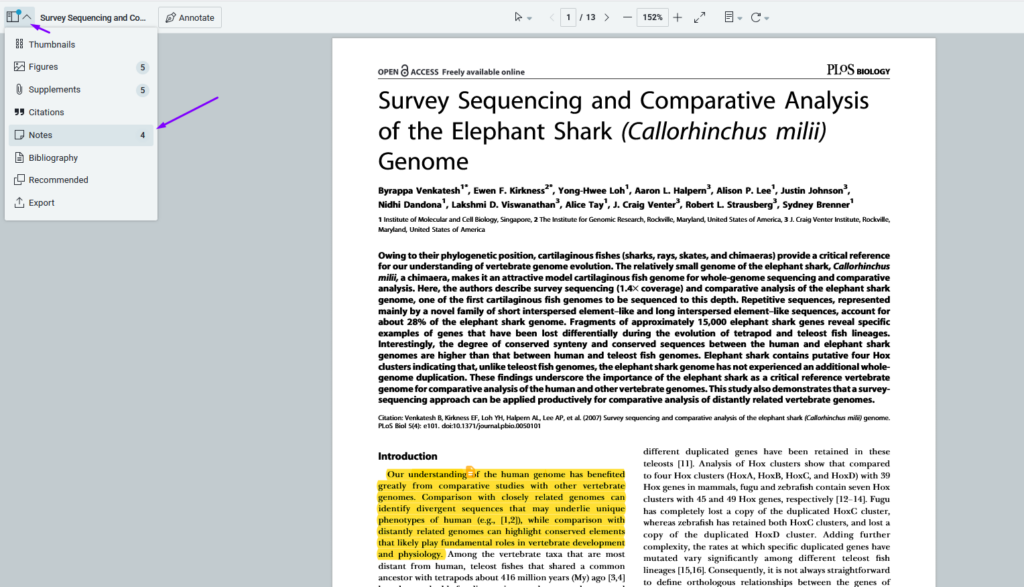
Click the top left hand options menu to select “Notes”. Tip, the number opposite of the word “Notes” indicates how many separates notes exist on that PDF.
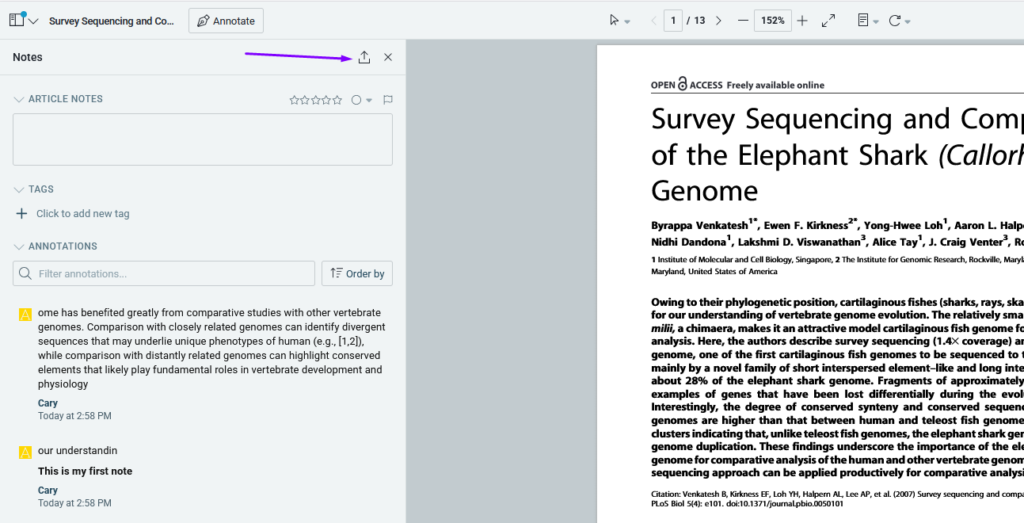
With the Notes panel revealed, click the upwards arrow on the top right to export your notes
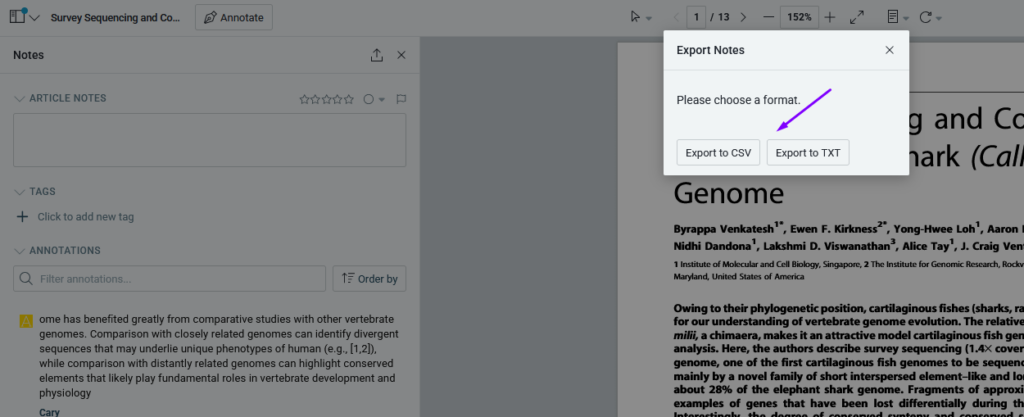
You’ll then be able to export the notes associated with your article in either .txt or .csv format
This feature makes it easy to back up or share your notes, improving your research workflow in ReadCube.


